
Planning Umrah today involves more than booking flights, arranging accommodation and preparing your Ihram.
Your phone has also become an important travel tool.
From obtaining your Umrah permit and arranging a Rawdah visit to finding your hotel, booking a taxi, checking train timings, translating Arabic and requesting emergency assistance, several parts of an Umrah journey can now be managed digitally.
But this creates another problem.
Which Saudi apps for Umrah pilgrims are actually important?
Do you really need every Saudi government app?
Which apps should you install before leaving Pakistan?
What happens if Nusuk does not work, your mobile data stops or your phone battery dies?
This guide answers those questions from a practical pilgrim perspective.
Instead of giving you another long list of apps, we will explain what each app actually solves, who needs it, when to set it up and what backup you should keep.
Quick Answer: Which Apps Should You Download for Umrah?
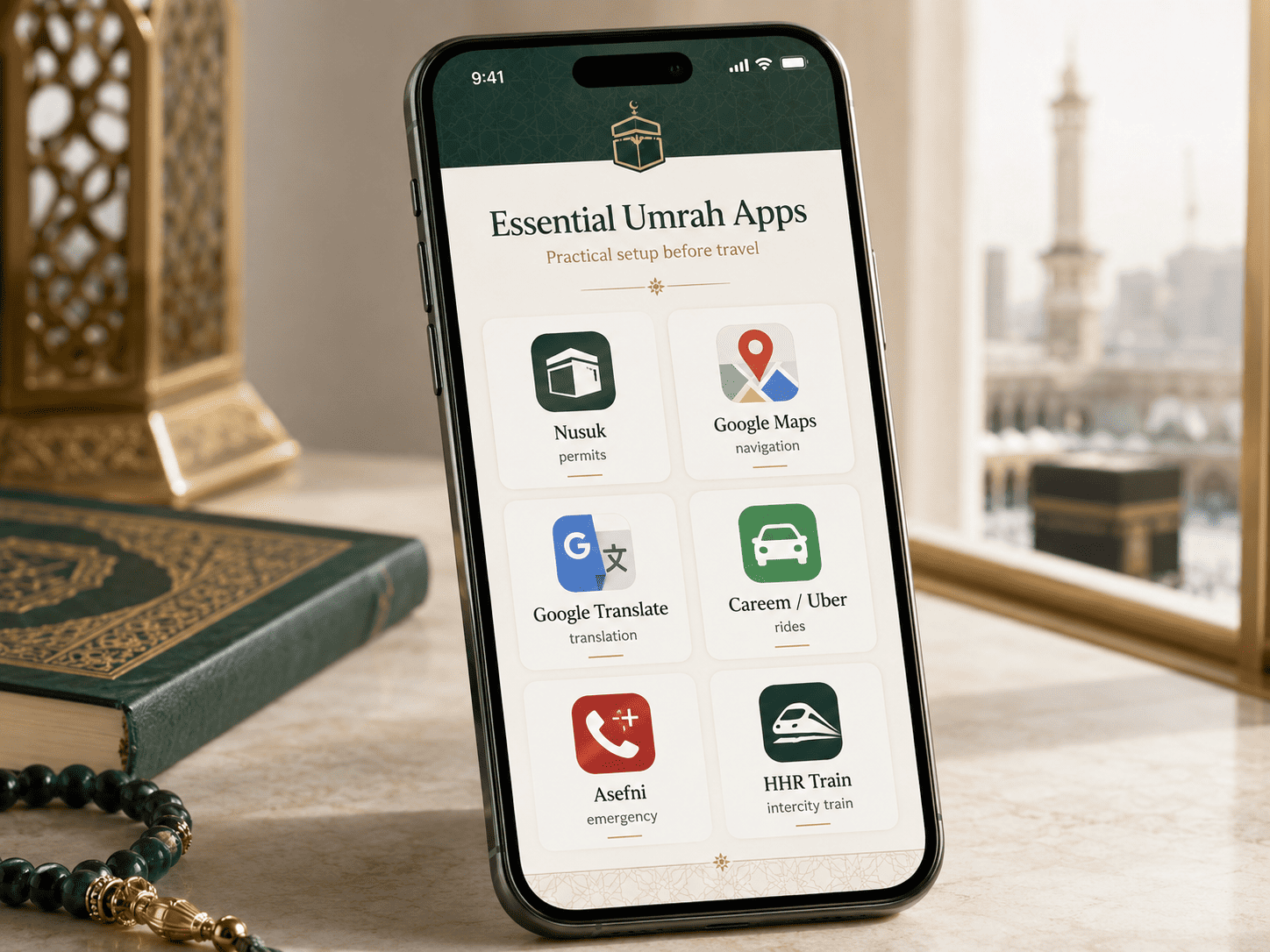
For most pilgrims travelling from Pakistan, your phone should be prepared around four needs.
Pilgrimage services
Nusuk
Transport and navigation
HHR Train if you plan to use the Haramain railway
Careem or Uber
Google Maps
Safety and communication
Asefni
Google Translate
Reliable mobile data
Optional support
Tawakkalna
Sehhaty
Quran and Qibla apps
Food and grocery delivery apps
You do not need to download every available Saudi application.
The objective is to prepare the apps that solve problems you are genuinely likely to face during your journey.
1. Nusuk: The Most Important App for Umrah Pilgrims
For most international pilgrims, Nusuk should be the first Saudi app installed before travelling.
Nusuk is part of Saudi Arabia’s official Hajj and Umrah digital ecosystem and has expanded beyond a simple permit application.
It now supports different stages of the pilgrim journey, including permits, pilgrimage information, guidance, maps and other services.
For an Umrah traveller, its most important role is simple.
Nusuk is the official app used for Umrah permit services and Rawdah appointment services.
Do You Need an Umrah Permit in 2026?
Yes.
Current Saudi Ministry of Hajj and Umrah guidance states that an official permit must be obtained before performing Umrah and that the permit is obtained through Nusuk.
Pilgrims should therefore not rely on old articles, social media videos or previous Umrah experiences claiming that a permit is unnecessary.
Saudi pilgrimage procedures can change.
Before travelling, always follow current information from the Saudi Ministry of Hajj and Umrah Umrah guide.
When Should You Set Up Nusuk?
Do not wait until you arrive in Makkah.
Once your travel documents and relevant visa information are available, install Nusuk and prepare your account as early as possible.
Check that:
- Your name matches your travel documents
- Your passport information is correct
- Your visa information is available
- Your email address is accessible
- Your mobile number is working
- You remember your password
- Your phone software is updated
- You can receive verification codes
The goal is to arrive in Saudi Arabia with a working account rather than learning how Nusuk works outside Masjid al Haram.
Nusuk for Rawdah Booking
A visit to Madinah creates another important use for Nusuk.
Rawdah appointment services are managed through Nusuk.
This means pilgrims who want to pray in Rawdah should not wait until the final day of their Madinah stay to start checking the app.
Prepare Nusuk before travelling and become familiar with where the relevant service appears.
What If You Cannot Find a Rawdah Appointment?
Do not immediately assume something is wrong with your account.
Appointment availability can depend on capacity and the dates currently released in the system.
If you do not see availability:
- Confirm that your account details are correct
- Make sure you are using the latest app version
- Check again later for legitimate availability
- Follow current instructions displayed inside Nusuk
- Avoid people claiming they can guarantee unofficial appointments
Never share sensitive account information with strangers offering paid booking shortcuts.
Keep Important Permit Information Accessible
When you receive important booking or permit information, make sure you can access it quickly.
Do not bury it among hundreds of screenshots.
Create a dedicated Umrah folder on your phone where important travel information is easy to find.
2. HHR Train App: Useful for the Haramain High Speed Railway
The Haramain High Speed Railway can be one of the most convenient transport options for pilgrims travelling between Jeddah, Makkah and Madinah.
If your itinerary includes the train, the HHR Train app is worth installing before departure.
It can help travellers:
- Search available journeys
- Review train timings
- Book tickets
- Access journey information
- Keep ticket details available on their phone
Who Actually Needs the HHR Train App?
You probably need it if you are arranging your own transport between Makkah and Madinah.
You may not need it if your Umrah package already includes complete intercity transportation and your group leader is managing those arrangements.
This distinction matters.
A useful Umrah app is not necessarily an essential Umrah app for every traveller.
If you prefer flights, accommodation, ground transportation and other major arrangements to be handled together, explore Uniworld’s Umrah packages from Pakistan before deciding what you need to manage independently.
3. Careem and Uber: Useful for Local Transport
Even pilgrims travelling on organised packages sometimes need independent transport.
You may want to:
- Return to your hotel at a different time
- Reach a railway station
- Visit a restaurant
- Go shopping
- Travel to a pharmacy
- Reach a meeting point
- Move somewhere not included in your group itinerary
Ride booking apps such as Careem and Uber can make these journeys easier.
They also reduce the need to explain unfamiliar hotel or destination names verbally to a driver.
Save Your Hotel Before Your First Ride
Do this before arriving in Saudi Arabia.
Save the exact location of:
- Your Makkah hotel
- Your Madinah hotel
- Jeddah Airport
- Madinah Airport if relevant
- Your train stations
- Your group meeting points
- Important ziyarat meeting locations
Hotel names can sometimes look similar.
Having the correct location saved on your phone reduces the chance of selecting the wrong property.
If you are still choosing accommodation, read our guide to the best area to stay in Makkah for Umrah before booking.
4. Google Maps: One of the Most Useful Supporting Apps
Google Maps is not a Saudi government application, but it deserves a place on an Umrah phone.
The mistake is installing it without preparing it.
Before travelling, save the locations you expect to use regularly.
These may include:
- Your Makkah hotel
- Your Madinah hotel
- Masjid al Haram
- Masjid an Nabawi
- Haramain railway stations
- Airports
- Pharmacies near your hotels
- Restaurants
- Group meeting points
- Places included in your itinerary
Download Offline Map Areas
Do not assume that mobile data will work perfectly every second of your journey.
Crowded areas, phone settings, roaming problems or SIM issues can temporarily affect connectivity.
Preparing relevant map areas for offline use gives you another navigation option when live connectivity is unavailable.
Use Exact Pins for Family Meeting Points
This is especially useful when travelling with parents, children or a large group.
Instead of saying:
Meet near the large hotel outside the Haram
send the exact location.
A saved location is much easier to follow than a visual description in an unfamiliar city.
5. Google Translate: Prepare Arabic Before Travelling
You do not need to speak fluent Arabic to perform Umrah.
Makkah and Madinah serve visitors from around the world.
However, translation can still make everyday situations easier.
You may need help:
- Speaking with a driver
- Asking hotel staff a question
- Reading instructions
- Explaining something at a pharmacy
- Understanding a menu
- Communicating during an unexpected situation
Before travelling, download Arabic language support where available.
That way, basic translation remains more useful even when your connection is limited.
6. Asefni: An Emergency App Pilgrims Should Know
Emergency preparation is often missing from lists of the best apps for Umrah.
It should not be.
Asefni is associated with the Saudi Red Crescent Authority and can be used to request emergency medical assistance and help emergency teams identify the location of the person requesting support.
Saudi emergency medical assistance can also be reached through 997.
Who Should Pay Particular Attention to Asefni?
It is worth knowing about if you are:
- Travelling with elderly parents
- Travelling with young children
- Managing a large family group
- Travelling independently
- Staying for an extended period
- Responsible for someone with mobility limitations
- Concerned about navigating an emergency in an unfamiliar location
An emergency app is something you hope never to use.
That is exactly why it should be prepared before an emergency happens.
Save Emergency Information Separately Too
Never make one app your only emergency plan.
Save important numbers directly in your phone as well.
Write your hotel name and address somewhere accessible.
Make sure another family member knows your travel details.
7. Tawakkalna: Useful but Not the Main Umrah App
Tawakkalna is another major Saudi government application.
However, pilgrims should understand its role correctly.
Tawakkalna is not the main app for obtaining your Umrah permit.
That role belongs to Nusuk.
Tawakkalna provides access to a broader range of Saudi government services covering different areas of daily life.
For a short stay international pilgrim, it should therefore be considered useful or optional depending on individual needs.
Do You Need Tawakkalna for Umrah?
Most pilgrims should prioritise Nusuk first.
Install Tawakkalna if a service relevant to your journey requires it or if you want access to broader Saudi digital services.
Do not confuse the two apps.
Nusuk is the pilgrimage priority.
8. Sehhaty: Useful for Health Related Services
Sehhaty connects users with digital health services in Saudi Arabia.
A healthy adult on a short organised Umrah trip may never need it.
However, health related applications become more relevant when travelling with:
- Elderly relatives
- Children
- People who may require healthcare access
- Travellers staying in Saudi Arabia for a longer period
Regardless of apps, carry important medication and prescription information properly.
Do not rely on a phone as the only record of essential health information.
9. Quran, Qibla and Umrah Guidance Apps
A good Umrah phone setup should not focus only on transport and logistics.
Your journey is an act of worship.
You may also find a trusted Quran app, Qibla tool and Umrah guidance resource useful.
Quran App
Download a Quran app from a source you trust before travelling.
If the app supports offline reading or recitation, prepare the content before departure.
This can be useful during flights, airport waiting time and quiet periods in your hotel.
Qibla and Prayer Time App
A Qibla app can be useful inside hotels or when travelling between cities.
Prayer time tools can also help when you are away from the mosque area.
Umrah Ritual Guidance
First time pilgrims may benefit from having a simple Umrah guide available on their phone.
The guide should clearly explain:
- Entering Ihram
- Intention for Umrah
- Talbiyah
- Tawaf
- Sa’i
- Halq or Qasr
Use guidance from reliable Islamic and official pilgrimage sources rather than random social media clips.
The purpose of the app should be reassurance and reference, not constantly looking at your phone while performing worship.
10. Food, Grocery and Pharmacy Delivery Apps
Food delivery apps are not essential for performing Umrah.
They can, however, become surprisingly useful.
This is particularly true for:
- Families with children
- Elderly pilgrims
- Someone who becomes unwell
- Long stay travellers
- Pilgrims returning to their hotel late
- Travellers who need groceries or water delivered
- People who need everyday pharmacy items
Saudi delivery platforms such as HungerStation can be useful for food and everyday delivery requirements.
Do not fill your phone with delivery apps before travelling.
Install one only if it solves a genuine need during your stay.
Do You Need Absher for Umrah?
Absher is an important Saudi government platform, particularly for citizens and residents.
That does not make it an essential Umrah app for every short stay international visitor.
For your core pilgrimage requirement, Nusuk should remain the priority.
If a specific Saudi service asks you to use another platform, follow the current instructions for that service.
Otherwise, there is little benefit in downloading applications simply because they appear on generic Saudi travel lists.
Saudi SIM or eSIM: The Part Most App Lists Forget
Downloading the right apps means very little if you cannot connect to the internet.
Your connectivity plan should therefore be decided before or shortly after arrival.
Most pilgrims have three broad options.
Option 1: Pakistan International Roaming
This is convenient if you want to keep using your existing Pakistani number.
Check your network’s Saudi roaming rates and data packages before departure.
Do not switch roaming on without understanding the cost.
Option 2: Saudi Visitor SIM
Saudi telecom companies offer visitor focused mobile plans, including options intended for pilgrims and international visitors.
A local SIM can be useful when you need reliable data throughout a longer stay.
Option 3: eSIM
If your phone supports eSIM technology, this can provide another convenient option.
Check compatibility before purchasing anything.
Do not discover at Jeddah Airport that your phone is locked to a physical SIM or does not support the eSIM service you planned to use.
How Much Mobile Data Do You Need for Umrah?
There is no perfect number for everyone.
Your usage depends on whether you:
- Make video calls
- Upload photos and videos
- Use social media heavily
- Navigate with live maps
- Book rides frequently
- Stream Quran recitations or videos
- Share your mobile connection with family members
For most pilgrims, reliability matters more than buying the largest possible data allowance.
Best App Setup for Umrah Pilgrims Travelling From Pakistan
Instead of downloading everything, use this simple setup.
Essential Setup
- Nusuk
- Google Maps
- Google Translate
- Careem or Uber
- Asefni
Add These If Relevant
- HHR Train if travelling by Haramain railway
- Tawakkalna if required for broader Saudi services
- Sehhaty if health services may be relevant
- A trusted Quran app
- A trusted Qibla and prayer time app
- Food delivery app for families or longer stays
This gives you a practical phone without unnecessary clutter.
What to Do as Soon as Your Saudi Visa Is Ready
Your digital Umrah preparation should start before your flight.
Step 1: Prepare Nusuk
Install the app and complete as much of your setup as the current system allows.
Step 2: Check Your Phone
Install important software updates at home while you have reliable WiFi.
Step 3: Prepare Maps
Save your confirmed hotels, airports and stations.
Step 4: Prepare Transport
Install your ride booking app and HHR Train if required.
Step 5: Prepare Emergency Support
Install Asefni and save Saudi emergency numbers.
Step 6: Download Arabic Translation
Prepare language support before travelling.
Step 7: Organise Your Travel Documents
Create a secure travel folder containing important information.
Step 8: Decide How You Will Get Internet
Compare roaming, Saudi visitor SIM and eSIM options before departure.
What Should You Save Offline Before Leaving Pakistan?
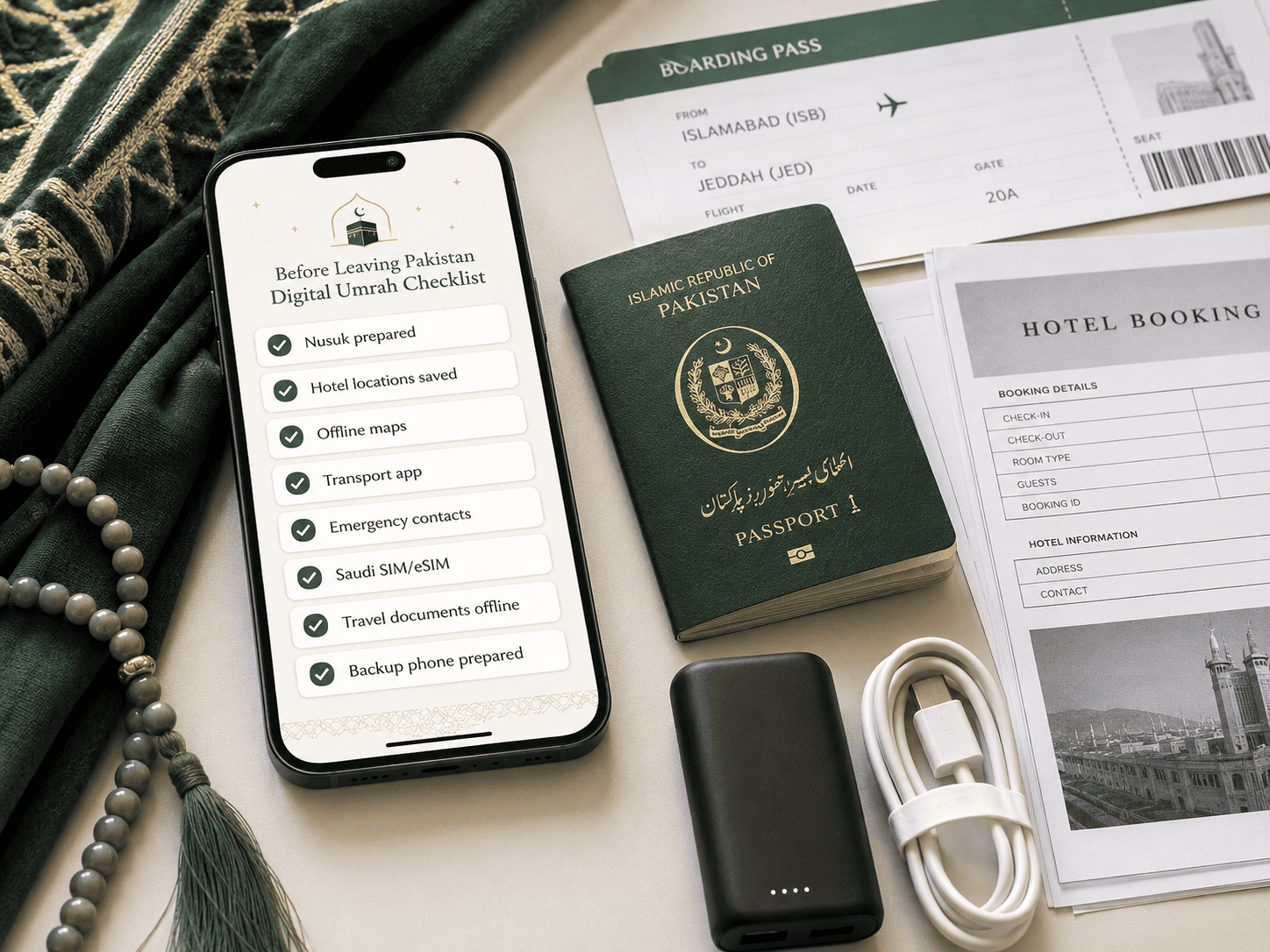
This is one of the most important parts of your digital preparation.
Save accessible copies of:
- Passport information
- Saudi visa
- Flight booking
- Hotel vouchers
- Travel insurance details
- Train tickets if already booked
- Confirmed permit information
- Travel agency contact details
- Group leader contact
- Important family phone numbers
- Hotel names
- Hotel locations
- Emergency numbers
- Necessary medical information
- Arabic translation support
- Relevant offline maps
Digital copies do not replace original documents where originals are required.
They are backups.
Your First 30 Minutes After Landing in Saudi Arabia
Most app guides tell you what to download.
Few explain what to do once you actually arrive.
After landing, complete these practical checks.
1. Get Connected
Connect using your selected roaming plan, Saudi SIM, eSIM or airport WiFi where available.
2. Contact Your Group
Let your family, tour manager or group leader know that you have landed.
3. Confirm Transport
Check the pickup arrangement provided by your travel organiser.
If travelling independently, open the transport option you planned to use.
4. Check Your Saved Hotel
Make sure the correct hotel location is accessible before leaving the airport.
5. Check Nusuk
Confirm you can log in and access the services you expect to use.
6. Keep Important Documents Easy to Reach
Do not place every important document deep inside your luggage.
The first hour after arrival is much easier when important information is organised.
Travelling With Elderly Parents? Use the Two Phone Strategy
One of the smartest things a family can do is avoid keeping every important travel detail on one person’s phone.
At least two responsible family members should have access to essential journey information.
For example:
Phone One
Main booking information
Permit information
Hotel vouchers
Flight details
Phone Two
Copies of key booking information
Hotel locations
Transport information
Emergency contacts
Agency contact details
This becomes extremely useful if:
- One phone runs out of battery
- A phone is lost
- Mobile data stops working
- Family members temporarily separate
- One person is sleeping or unavailable
- Someone needs urgent access to travel information
Technology should remove stress, not create a single point of failure.
What If Your Phone or Internet Stops Working During Umrah?
Prepare for this before travelling.
Carry a Power Bank
Maps, mobile data, camera use and travel apps can consume battery quickly.
Keep a charged power bank with you when appropriate.
Memorise or Write Down Your Hotel Name
Do not make your smartphone the only place where you know where you are staying.
Keep an Agency Contact Outside Your Phone
Write the important number in your wallet or travel documents.
Agree on a Family Meeting Point
If family members become separated, everyone should know where to meet.
The meeting point should be specific.
Do not use vague instructions such as outside the Haram.
Keep Basic Cash Available
Digital payments are useful, but having some Saudi Riyals available can provide another backup.
Common Umrah App Mistakes to Avoid
Mistake 1: Installing Nusuk After Reaching Makkah
Prepare it before travelling.
Mistake 2: Depending on One Person’s Phone
Keep important information accessible to another responsible family member.
Mistake 3: Having No Mobile Data Plan
Decide how you will connect before the journey.
Mistake 4: Saving Only Hotel Names
Save exact locations too.
Mistake 5: Depending Completely on Live Internet
Download maps, translation support and essential documents where possible.
Mistake 6: Downloading Every Saudi App You See Online
Prioritise apps according to your actual itinerary.
Mistake 7: Following Old Permit Advice
Pilgrimage rules and digital procedures can change.
Always check current Saudi guidance.
Mistake 8: Buying Rawdah Appointments From Unofficial Sources
Use legitimate official channels.
Mistake 9: Forgetting Your Charger or Power Bank
Your phone is far less useful at zero percent battery.
Which Apps Do Different Types of Umrah Pilgrims Need?
First Time Pilgrim
Start with Nusuk, Maps, Translate, Asefni and your transport app.
Add a trusted Umrah guidance and Quran app.
Family With Elderly Parents
Prioritise Nusuk, Asefni, Maps, ride booking and offline travel details.
Make sure more than one family member understands the digital arrangements.
Independent Traveller
You are likely to depend more heavily on Nusuk, HHR Train, Maps, Careem or Uber, translation and digital connectivity.
Organised Group Traveller
Your travel agency may already handle airport transfers, hotels, intercity transportation and ziyarat.
Your personal app setup can therefore stay simpler.
If accommodation is still being planned, our guide to the best area to stay in Madinah for Umrah explains how hotel location affects mosque access, families and elderly travellers.
Do Not Let Your Phone Take Over Your Umrah
There is a bigger purpose behind all this preparation.
Technology should reduce logistical stress so you can focus more deeply on worship.
Prepare your apps.
Save your documents.
Arrange transportation.
Understand Nusuk.
Set up your internet.
Know your hotel location.
Then stop checking your phone unnecessarily.
The best digital preparation is the preparation that allows you to use your phone less once your Umrah begins.
Planning Ziyarat During Your Journey
Apps can help you reach locations, but they cannot explain the religious and historical importance of every place.
If you are planning visits beyond the main Umrah rituals, read our separate guide to the top places to visit in Makkah and Madinah during Umrah.
Keeping ziyarat information in a separate guide also makes your planning easier.
This article remains focused specifically on the digital tools and apps that support your Umrah journey.
Frequently Asked Questions About Saudi Apps for Umrah
Q1: What is the most important app for Umrah?
Nusuk is the most important Saudi pilgrimage app for most international Umrah travellers because Saudi authorities use it for official Umrah permit services and Rawdah appointment related services.
Q2: Which app is used for an Umrah permit?
The official Umrah permit is obtained through Nusuk according to current Saudi Ministry of Hajj and Umrah guidance.
Q3: Which app is used to book Rawdah?
Rawdah appointment services are available through Nusuk.
Pilgrims should use official channels and avoid people claiming to sell guaranteed unofficial appointments.
Q4: Should I install Nusuk before leaving Pakistan?
Yes.
Preparing Nusuk before departure is much easier than setting up your account for the first time after reaching Makkah or Madinah.
Q5: What should I do if no Rawdah slots are available?
First confirm that your account and app are working correctly.
Availability can depend on the dates and capacity currently available in the system.
Continue checking official availability and follow the latest Nusuk instructions.
Q6: Do I need Tawakkalna for Umrah?
Nusuk should be your primary pilgrimage app.
Tawakkalna can be useful for broader Saudi government services but should not be confused with the official Nusuk Umrah permit process.
Q7: Do tourists need Absher for Umrah?
Absher should not be treated as a universal must have app for every international Umrah visitor.
Use it only when a specific service relevant to your situation requires it.
For core Umrah permit services, prioritise Nusuk.
Q8: Which app should I use for the Haramain train?
The HHR Train app is designed for Haramain High Speed Railway journey searches and bookings.
Q9: Which taxi apps work for Umrah travellers?
Careem and Uber can be useful for local journeys in Saudi Arabia.
Pilgrims on organised packages may already have major transportation included.
Q10: Should I buy a Saudi SIM for Umrah?
A Saudi visitor SIM can be useful, especially for longer trips.
International roaming and eSIM services are other options.
Compare cost, phone compatibility and data requirements before choosing.
Q11: Can I use Nusuk without internet?
Do not plan your journey assuming every Nusuk service will always be available without connectivity.
Keep reliable mobile data and offline copies of essential travel information as a backup.
Q12: What emergency number should pilgrims know in Saudi Arabia?
The Saudi Red Crescent emergency medical number is 997.
Pilgrims should save emergency information before travelling.
Q13: Which emergency app should an Umrah pilgrim know?
Asefni is associated with the Saudi Red Crescent Authority and supports emergency medical assistance requests.
Q14: Which apps should Pakistani Umrah pilgrims download?
Most Pakistani pilgrims should begin with Nusuk, Google Maps, Google Translate, Asefni and a suitable local transport app.
Add HHR Train, Tawakkalna, Sehhaty and other tools according to your itinerary and personal requirements.
Q15: Can elderly pilgrims use Nusuk?
Yes, but elderly travellers may benefit from assistance from a trusted family member when preparing digital travel services.
Important information should not be stored on only one phone.
Q16: What happens if I lose my phone during Umrah?
Another family member should have copies of important travel information.
Also keep your hotel name, agency contact, identification details and important numbers somewhere outside your phone.
Final Umrah App Checklist Before Leaving Pakistan
Before heading to the airport, confirm these points.
- Nusuk is installed and prepared
- Current Umrah permit requirements have been checked
- Rawdah planning has been considered if visiting Madinah
- Makkah hotel location is saved
- Madinah hotel location is saved
- Offline maps are prepared
- Arabic translation is downloaded where available
- Transport apps are installed
- HHR Train is prepared if required
- Asefni is installed or understood
- Saudi emergency numbers are saved
- Flight information is stored
- Visa information is stored securely
- Hotel vouchers are accessible
- Travel organiser contact is saved
- Mobile roaming, SIM or eSIM has been considered
- Power bank is charged
- Charging cable is packed
- Another family member has important travel information
- Key details are available offline
Final Advice
The best Saudi apps for Umrah pilgrims are not the apps that fill your phone.
They are the apps that remove uncertainty from your journey.
Prepare Nusuk before departure.
Keep your hotel locations saved.
Plan how you will stay connected.
Know how you will move between cities.
Keep emergency support accessible.
Store important information offline.
Give another trusted family member access to essential travel details.
Once those practical matters are organised, your phone can return to its proper role during Umrah.
A useful tool when needed, and something you can put away when it is time to focus on worship.
If you are planning Umrah from Pakistan and want help arranging your visa, flights, accommodation, transportation and complete journey, explore Uniworld Travel & Tours Umrah options or contact us at 03452399980 for guidance.